Every December, a lot of kids' Christmas lists do the same thing: they grow. It starts with three wishes. A week later it is a screenshot folder, a catalog with circles all over it, and one item nobody had heard of until your child saw it in a video last Tuesday.
The problem usually isn't greed. Putting thirty things in order is a hard job for a seven-year-old, and honestly for most adults too. We are not great at ranking long lists, but we are very good at choosing between two things. That is the whole idea of this guide: instead of asking "what do you want most?", ask a string of tiny questions, "this one or that one?", and let the order build itself.
Below is a calm five-step way to do it. It uses Sortpair, a free this-or-that ranking tool, to run the game in a few minutes. There is no sign-up, and your child's list stays in your browser.
Why "what do you want most?" is such a hard question
When a child has a long list in their head, three things get in the way:
- Recency wins. The thing they saw most recently feels like the thing they want most.
- Everything feels urgent. With no side-by-side view, each item seems equally important.
- The question is abstract. "Rank these" asks a child to hold many things in mind at once. "Which of these two?" asks them to look at two things and feel which one pulls harder.
Two concrete choices are easier for a young child than one big abstract one. That's why this works even for kids who freeze when you say "just pick your top three."
Step 1: Let them dump everything (10 minutes, no judging)
Start with a brain-dump. Set a timer for ten minutes, grab paper or a phone, and write down every single thing your child wants. Don't comment, don't price-check, and don't say "that's too expensive." Judging at this stage teaches kids to hide wishes instead of weighing them.
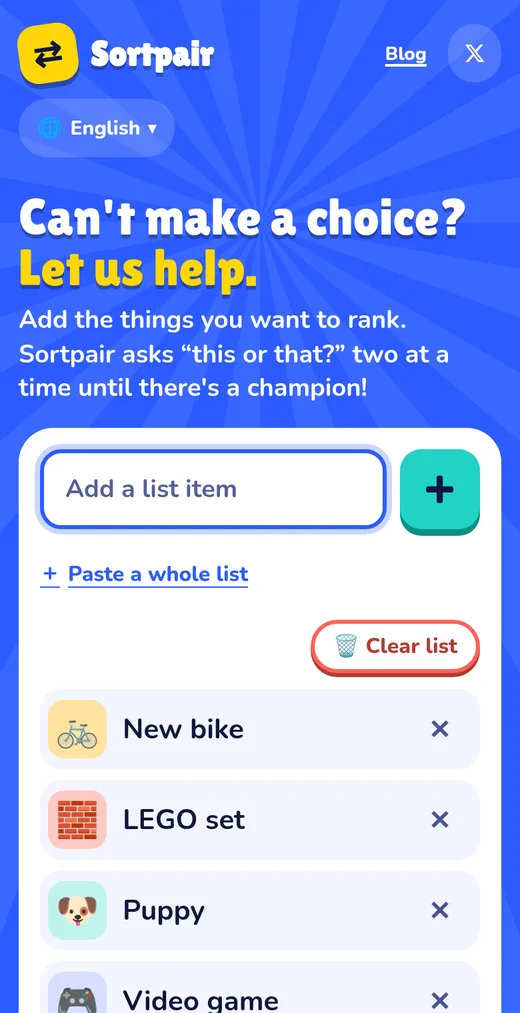
For little ones who can't write yet, you be the scribe, or let them point at pictures in a catalog and snap photos. If you use Sortpair, an emoji at the start of an item (like 🚲 New bike) becomes the big picture on the screen, which helps non-readers a lot.
Step 2: Decide the number before you rank
Agree on how many gifts the list is for before you start the game. For example:
- "Santa and Mom and Dad together can do three things."
- "Grandparents can pick one thing from the next group."
- "Everything else goes on the birthday list or the saving-up list."
Say out loud that the ranking is a conversation starter, not a promise: number one is the child's favorite wish, not a guarantee. Kids handle that fine when it's said calmly and early. It's much harder to explain after the list is on the fridge.
Step 3: Play this-or-that with pairs
Now the fun part. Put the wishes into Sortpair (you can paste a whole list, or tap the 🎄 Christmas list lineup and swap in your own items). Then let your child play:
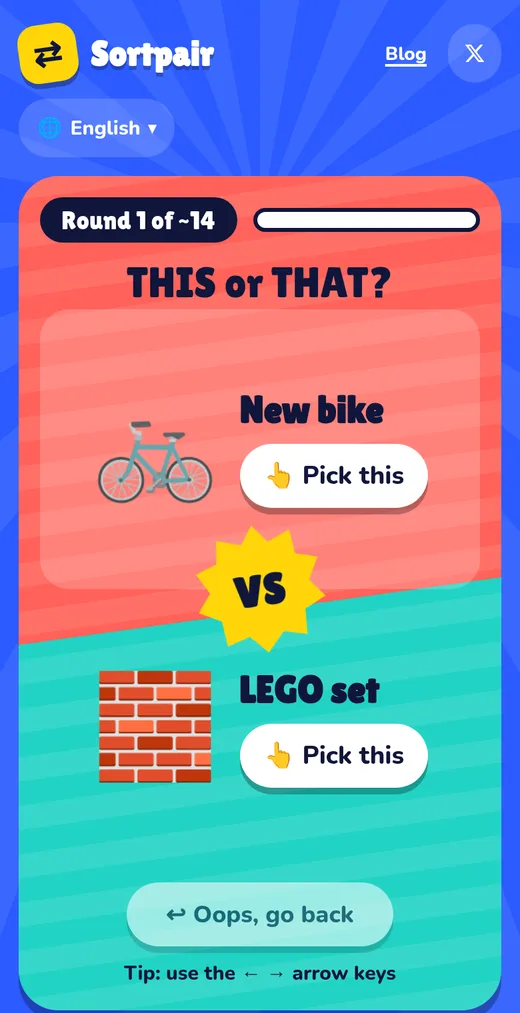
- Two wishes appear, one on each half of the screen.
- Your child taps the one they'd rather get.
- Sortpair shows the next pair, and keeps going until everything is in order.
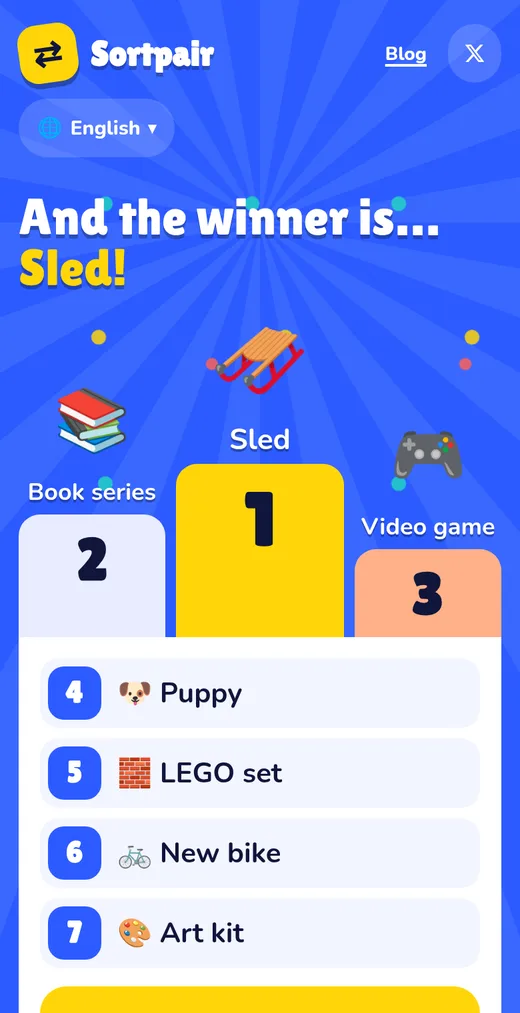
- At the end you get a podium for the top three and a numbered list for the rest.
How many picks is that? For seven wishes it is usually about a dozen taps. (We measured it; the numbers are in our guide to ranking a list two at a time.) A ten-item list is usually about twenty. That is a few minutes, short enough that most kids stay in the game.
A few tips for the game itself:
- Tell them to go with their gut. There is no wrong answer.
- Made a slip? The Oops, go back button undoes the last pick.
- If you are sharing one device, take turns with the tapping, or let siblings each play their own round.
Step 4: Ask "why?" every few picks
The ranking is useful, but the conversation is the best part. Every few picks, pause and ask one quick question. Good ones include:
- "Which one would you still love in March?"
- "Would you play with that by yourself, or with other people?"
- "What would you do with it on the very first day?"
- "If a friend already had one, would it still win?"
These questions turn "I want it" into reasons, and reasons are how kids learn to prioritize. They also give you real information about what a gift will mean to your child, which is hard to get from a list alone.
Step 5: Turn the ranking into a plan
Once the podium appears, use it. One simple split:
- Top three: what you and Santa will look at first.
- Next three or four: ideas for grandparents, aunts and uncles. Hit Copy list, paste it into a message, and add "please check with us before buying anything big so we don't double up."
- The rest: birthday ideas, spending money, or a "someday" list.
If you want a balanced list, you can also ask for one wish from each of a few groups, for example something fun, something useful, and something to do together as a family.
How to adjust for different ages
- Ages 3 to 5: Use three to five items with big pictures. You read the choices aloud. Skip the "why?" questions if they get restless.
- Ages 6 to 8: Five to eight items works well. Let them tap on their own and explain one or two picks.
- Ages 9 to 12: Let them build the list themselves, set a price ceiling together, and run the game solo. Ask them to defend their top pick.
- Teens: Hand them the tool and a budget. The ranking is theirs; you just talk about it afterwards.
What if they keep flip-flopping?
Changing their mind is normal, and it's useful. Two easy ways to use it:
- Sleep on it. Sortpair keeps the list in the browser, so you can come back tomorrow, press PLAY! again, and see whether the order holds.
- Compare two rounds. If the top two wishes swap places between rounds, they are very close in your child's mind. That is a good place to ask a question, or to let the grown-ups decide which one fits the budget.
A sample Christmas lineup
The built-in 🎄 Christmas list lineup has seven wishes that cover the usual range: 🚲 New bike, 🧱 LEGO set, 🐶 Puppy, 🎮 Video game, 📚 Book series, 🛷 Sled and 🎨 Art kit. Of course your child's list will be different. The point of the sample is to show how a mix of big and small wishes sorts itself out. Some wishes aren't realistic (a puppy is a family decision, not a stocking stuffer). Rank it anyway, then use the result to talk about what it would really take.
Frequently asked questions
How many items should the list have?
Between five and ten is the sweet spot. Fewer than five is barely a game, and more than twelve starts to feel long for younger children. If the list is longer, do a first round to get a top ten and then play again with just those.
Do we need an account?
No. Sortpair is free, and there's nothing to sign up for.
Where is my child's list stored?
Only in your own browser, on your own device. Nothing is uploaded. If you clear your browser data, the list goes away.
Can siblings each make a list?
Yes. Have each child play a round and press Copy list to save their result somewhere (a notes app works well) before starting a new list.
Does this work for other holidays?
Absolutely. Birthdays, Hanukkah, Eid, Diwali or any gift-giving day work the same way. You are just ranking a list of wishes.
Want to use the same trick for other family choices, like what to do this weekend or what's for dinner? Read our guide to a family decision game that everyone can live with.